🚚 Free Worldwide Shipping on All Orders!Shop Now
1 / 4
Game Boy Advance Laminated Screen 720x480 (GBA)
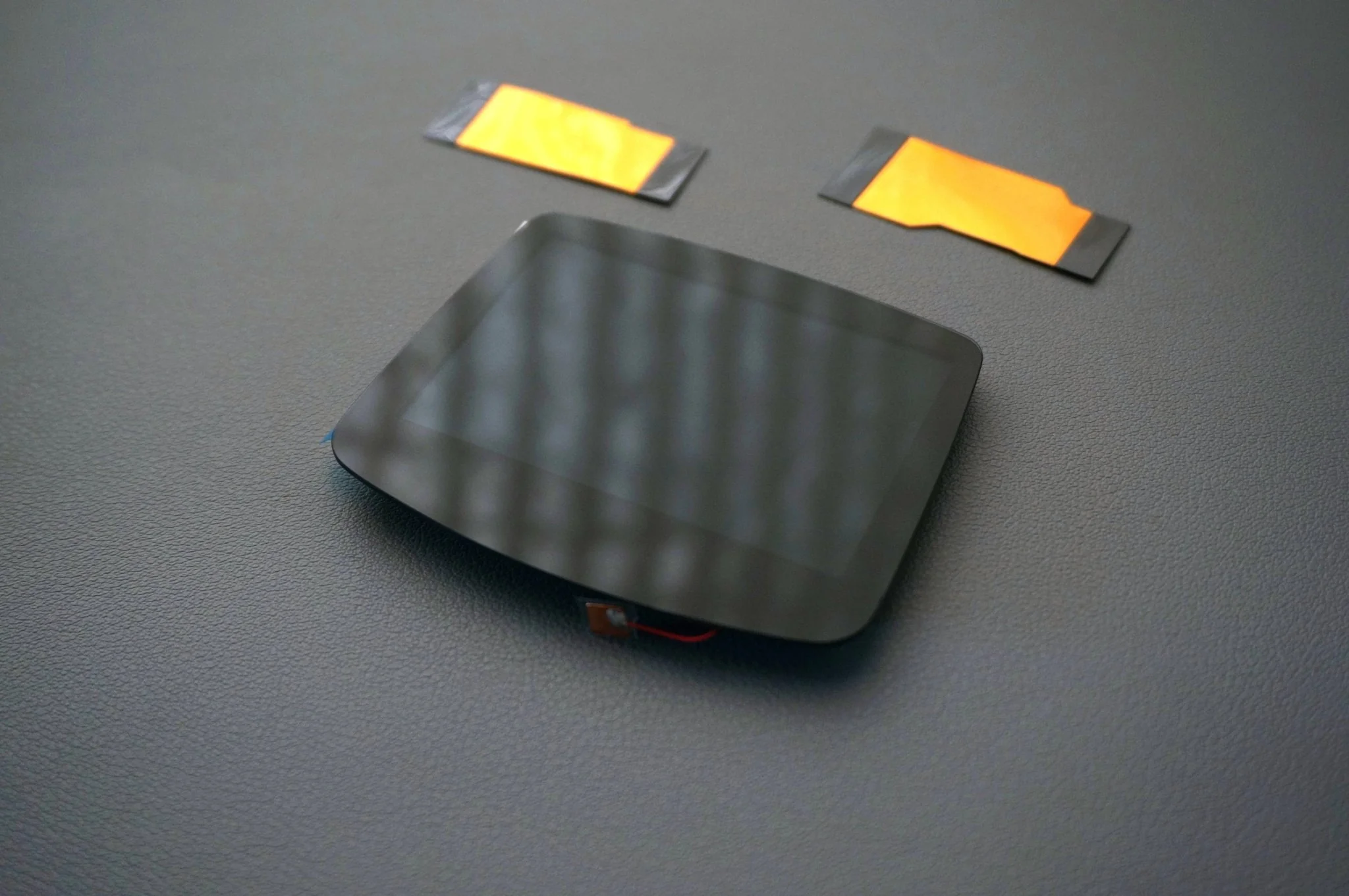
Upgrade your Game Boy Advance with our super bright screen that already has the glass laminated to the display panel. No logo, for a clean look. This screen is compatible with our New Metal Hybrid GBA shells.
Includes
- Flex cable - 2 versions to fit all GBA motherboards
- Laminated Screen
- Wire if you choose to connect the on-screen display menu
Features
- 720*480 resolution
- 15 brightness levels - There is a wire with copper tape. Attach to the underside of your laminated screen.
- Pixel effects: Normal, retro pixel, scan line 1, scan line 2
- 8 color modes for customizable display aesthetics - Need to extend the top screen touch sensor to use this optional feature.
- Touch screen for easy adjustment of brightness and color modes
- OPTIONAL On-screen display (OSD) functionality (requires soldering 3 wires on your Nintendo PCB) for menu operation:
- Press the Select + L + R for 1 second at the same time, then release to activate the On-screen display menu (OSD).
- Press the select button to select the adjustment item when OSD menu activated
- Press the L or R button to adjust the item when the OSD Menu activated
Warnings
- Test the screen and flex cable before assembly into the housing; returns cannot be accepted after installation
- Stock plastic housings do not work with the screen
- Does not fit previous versions of Boxy Pixel GBA housings
- Connect to your Nintendo board and use a stock battery to perform initial testing
- Ensure compatibility and proper installation procedures to avoid damage to components
To view all of our GBA products
$68.95
Game Boy Advance Laminated Screen 720x480 (GBA)—
$68.95
Product Information
Product Information
Shipping & Returns
Shipping & Returns
Description
Upgrade your Game Boy Advance with our super bright screen that already has the glass laminated to the display panel. No logo, for a clean look. This screen is compatible with our New Metal Hybrid GBA shells.
Includes
- Flex cable - 2 versions to fit all GBA motherboards
- Laminated Screen
- Wire if you choose to connect the on-screen display menu
Features
- 720*480 resolution
- 15 brightness levels - There is a wire with copper tape. Attach to the underside of your laminated screen.
- Pixel effects: Normal, retro pixel, scan line 1, scan line 2
- 8 color modes for customizable display aesthetics - Need to extend the top screen touch sensor to use this optional feature.
- Touch screen for easy adjustment of brightness and color modes
- OPTIONAL On-screen display (OSD) functionality (requires soldering 3 wires on your Nintendo PCB) for menu operation:
- Press the Select + L + R for 1 second at the same time, then release to activate the On-screen display menu (OSD).
- Press the select button to select the adjustment item when OSD menu activated
- Press the L or R button to adjust the item when the OSD Menu activated
Warnings
- Test the screen and flex cable before assembly into the housing; returns cannot be accepted after installation
- Stock plastic housings do not work with the screen
- Does not fit previous versions of Boxy Pixel GBA housings
- Connect to your Nintendo board and use a stock battery to perform initial testing
- Ensure compatibility and proper installation procedures to avoid damage to components
To view all of our GBA products